

Markdown first
Start from a readable text file. The canvas helps you see and shape its structure.
Open structured Markdown as an editable mind map—locally in your browser.
Ideas often begin as plain text. As a document grows, its hierarchy becomes harder to scan. NodeMD turns the structure already present in Markdown into a canvas you can edit, connect, and style.
NodeMD is a Docker-ready Web UI: the container serves static files, while parsing, editing, and recovery remain in the browser.
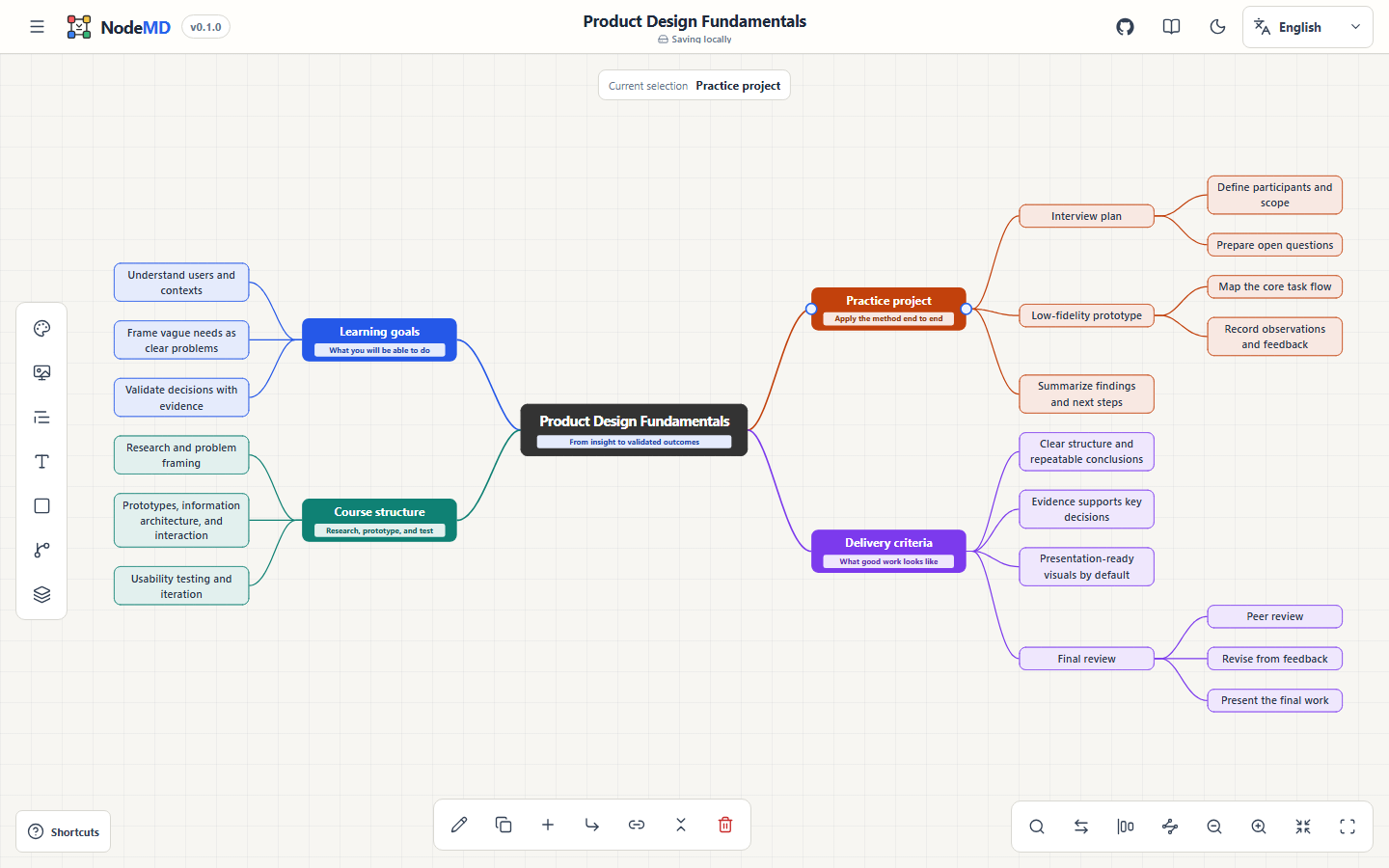
From the repository root:
docker compose up --build -dOpen http://localhost:4173. Rebuild with the same command after changing source code, dependencies, the Dockerfile, or bundled assets.
Use the project menu to create a canvas, restore the sample map, or choose a .md file. You can also drop .md, .markdown, or .nodemd anywhere on the canvas. H1–H3 headings, nested lists, and GFM task items become nodes; each simple > blockquote becomes a node description. Supported whole-file Mermaid is projected into the same ordinary mind-map canvas.
Double-click a node title to edit it, or double-click an individual description to edit only that supporting line. Use the Content panel to add multiple descriptions. Find nodes or Ctrl/Cmd+F searches titles, stable IDs, and descriptions—including collapsed descendants—and centers the chosen stable ID; its centered palette closes with Escape or a click on the shaded canvas outside it. Visible depth shows all levels or levels 1–6. Add branches from the bottom action bar, or drag directly from any visible node connection point—without selecting first—to create a manual relationship. The lower-right controls switch connection points to selected-node-only mode, cycle Two-sided/Right-only/Left-only layout, and align same-depth columns toward the root, by center, or away from the root. Hover a permitted horizontal node edge and drag to set a fixed width; height continues adapting to wrapped content. Use the left rail for text, frame, connector, padding, radius, shadow, and canvas-background controls.
Download a versioned .nodemd project to preserve stable IDs, content, styles, detached roots, manual links, canvas appearance, viewport, and untouched imported Markdown. Open it later to continue editing. NodeMD also autosaves the current editable map and up to five recent previous local versions in this browser for recovery after refreshes and restarts. Viewport-only saves restore the latest zoom and origin without changing savedAt or consuming a recovery-history slot. An automatic canvas background continues to follow light/dark mode after either kind of restore, while a custom Hex background remains fixed.
For presentation artifacts, download structural Markdown, SVG, high-resolution PNG, or a .nodemd.zip snapshot containing structural Markdown, a JSON appearance sidecar, SVG, and PNG. PNG output is automatically constrained to 8,192 px per side and 16,000,000 total pixels. Every description remains a separate > blockquote in generated Markdown; the JSON sidecar stores appearance only. When source cannot be represented completely on the canvas, a persistent mapping report identifies the affected type and line, and lets you download the untouched original Markdown directly. Imported source is also included as .original.md in the bundle.
Read the complete user guide →
Current limitation
NodeMD does not overwrite or losslessly rewrite imported files in place; use Export structural Markdown for the current tree snapshot. Browser recovery keeps the current project and up to five recent local versions, but remains tied to one browser profile and site origin; export a .nodemd file for a portable backup.